Lawn Care Software
Stop Backtracking Across Town. Run Your LawnStarter Jobs and Your Own Customers on One Route.
ProBase is the only lawn care software fully integrated with LawnStarter, Lawn Love, and Home Gnome.
Free. No credit card. No trial.
Two apps, one truck, and a route you build in your head
If you're a LawnStarter pro with your own customers too, your work lives in two places. Marketplace jobs in one app. Your regulars in another app, a notebook, or your texts.
So every morning, you plan the day from memory. You guess which yard goes first. You add up what the day pays on the drive over. Get the order wrong and you're backtracking across town.
ProBase puts all of it in one app. Plan an efficient route, see all your customers in one spot, and see how much you're getting paid. One free app for your whole lawn care business.
Software for LawnStarter pros, built around your day
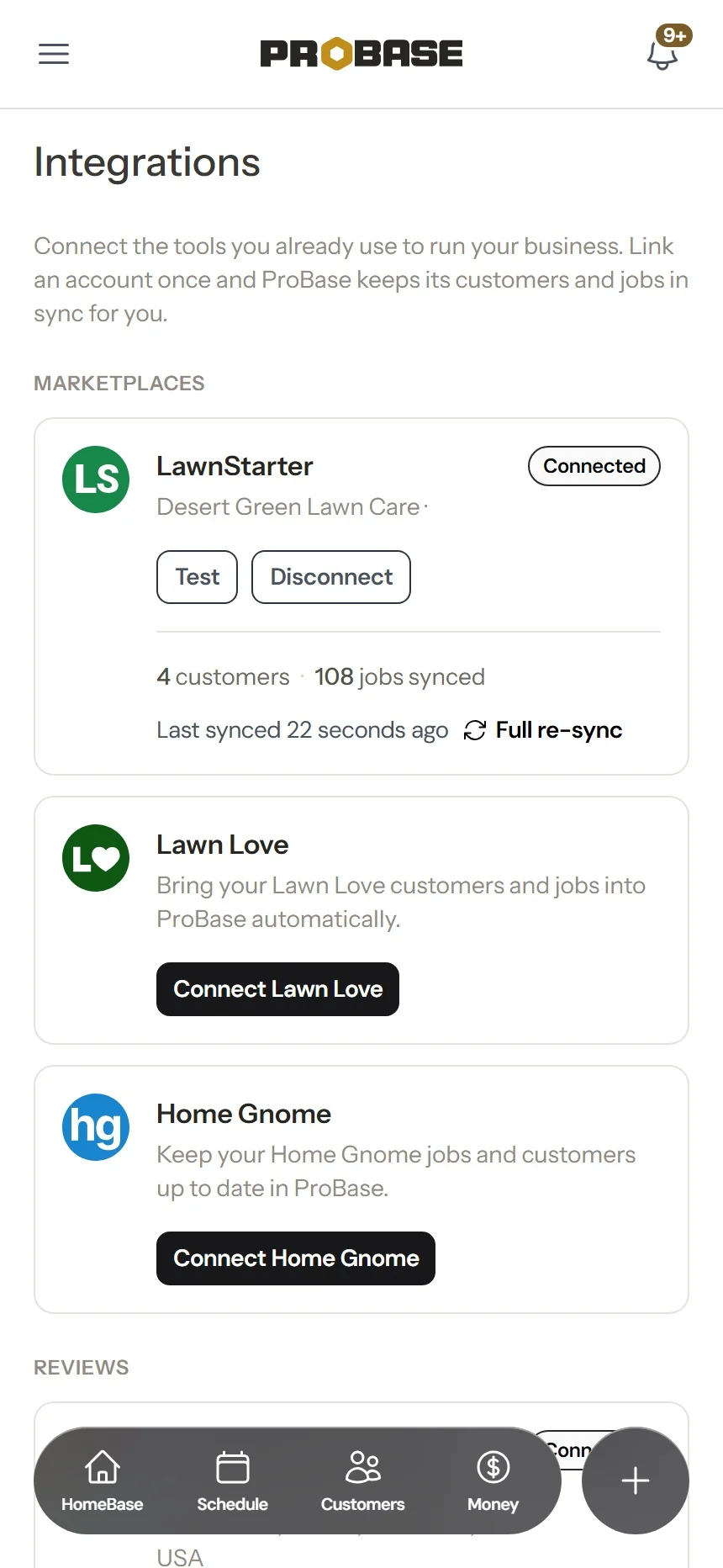
Connect your marketplace account once. Your LawnStarter customers, properties, services, jobs, and earnings come into ProBase on their own. Nothing to import by hand.
Plan an efficient route
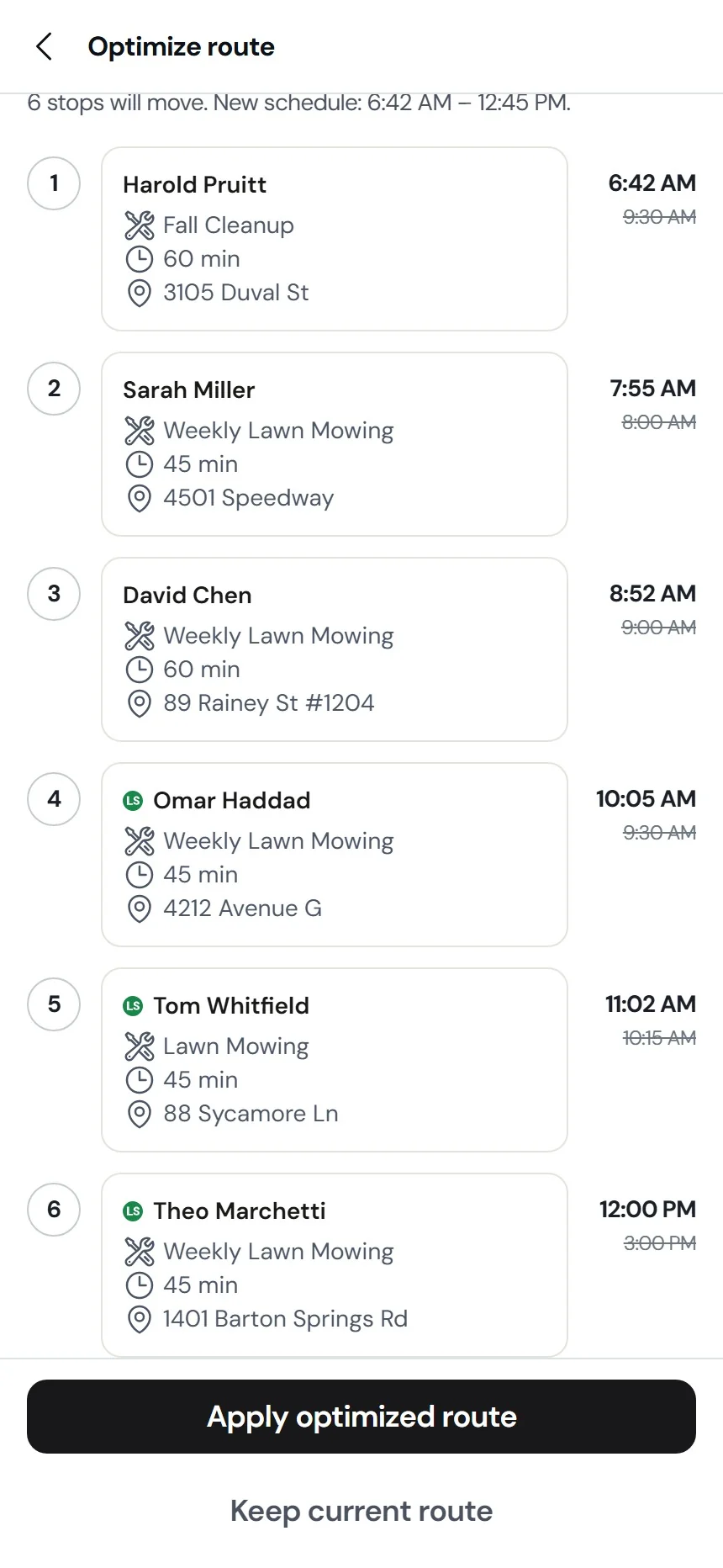
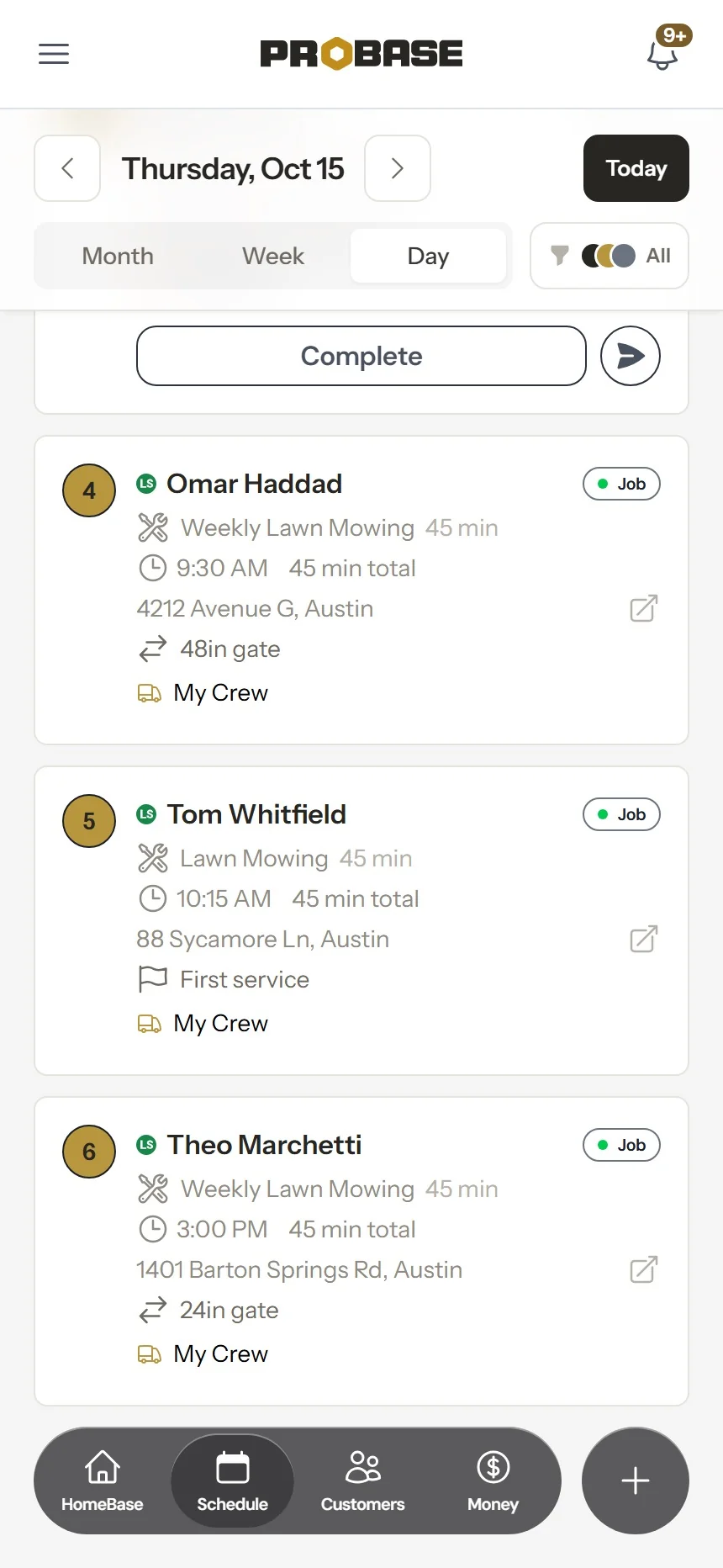
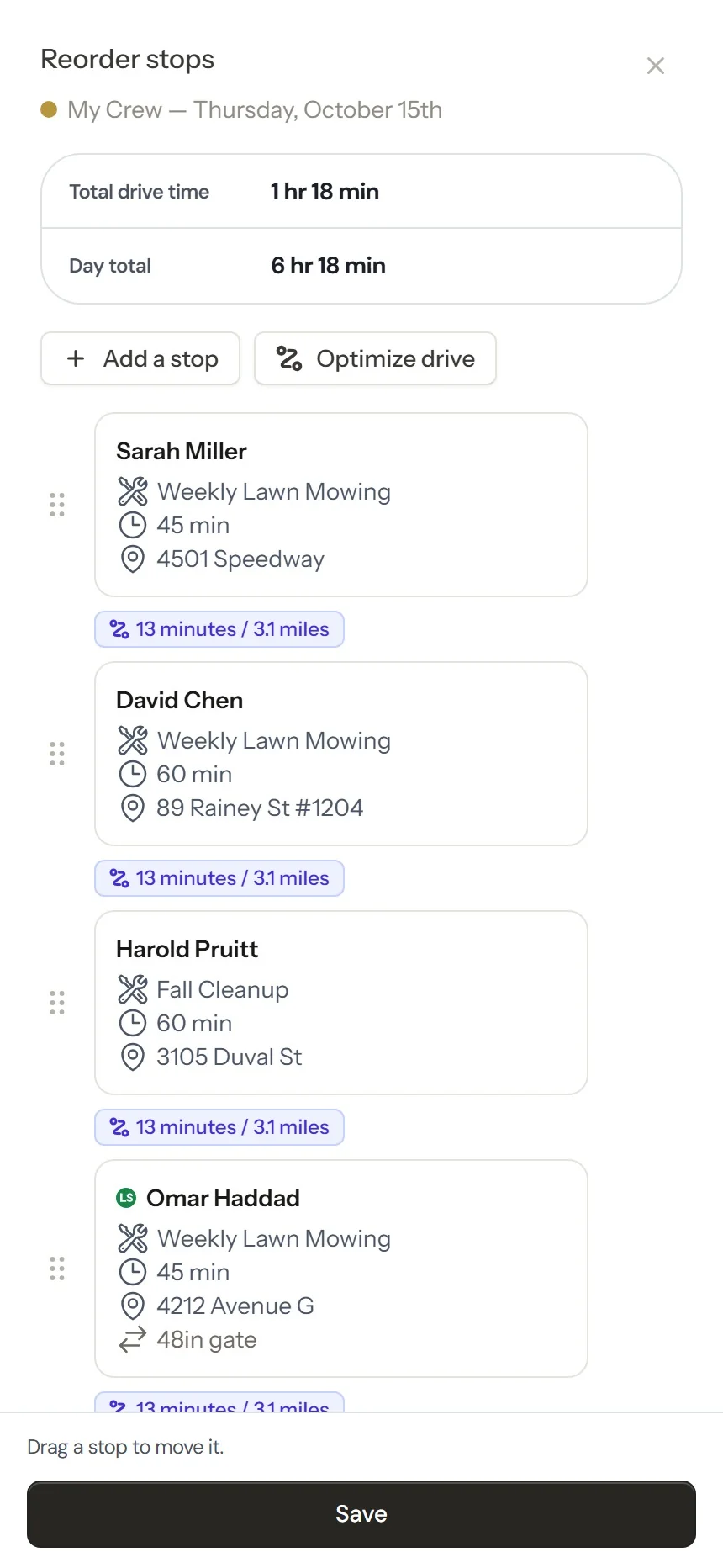
LawnStarter jobs sit on your schedule and daily route next to your own customers, marked with the marketplace's logo. They count toward the day's stops and show up in route order. Tap Optimize route, then move any stop you'd rather run at a different point in the day. You set the time of day and which crew goes. More on route management.
See all your customers in one spot
Marketplace customers and your own customers, in the same app, with their properties and services. No flipping between apps to see who's on tomorrow. More on customer management.
Know what every stop pays
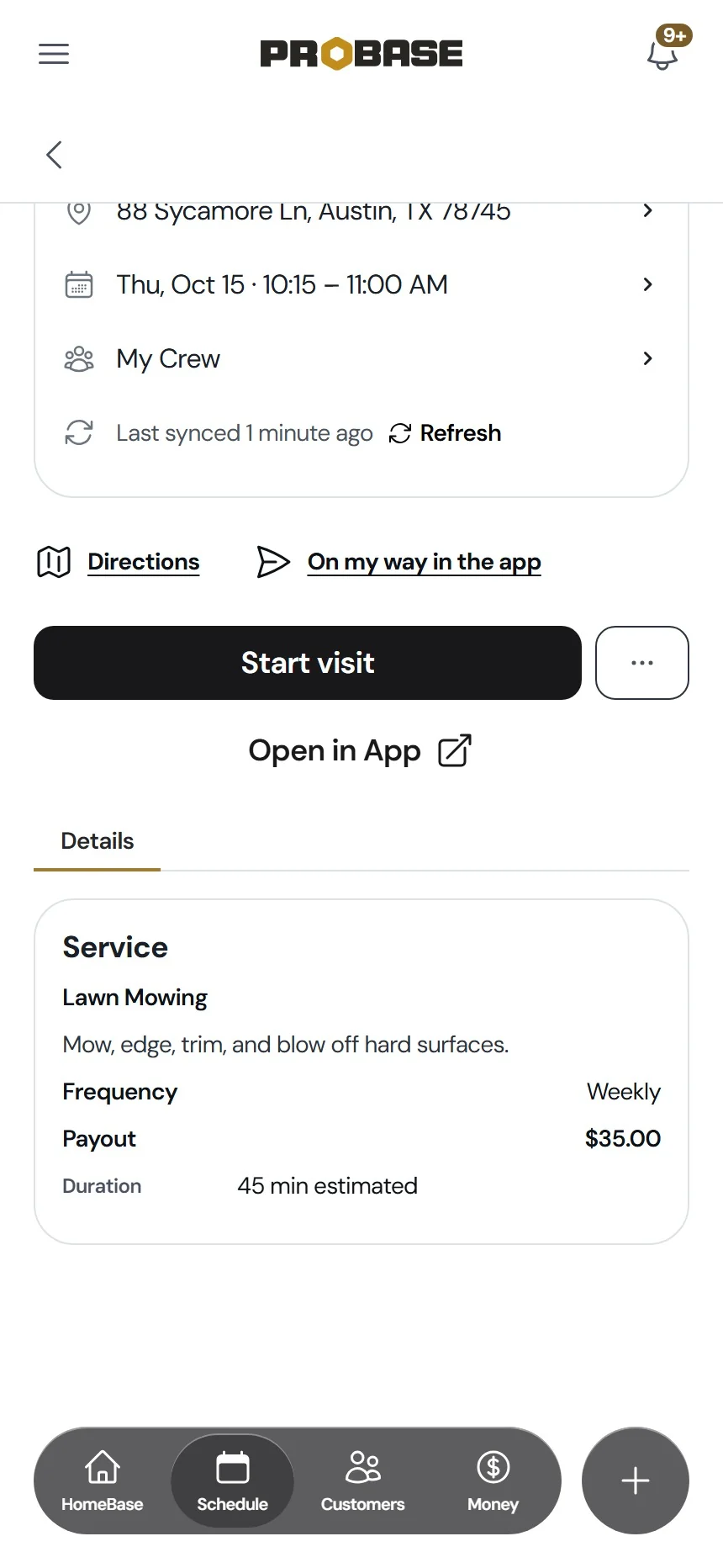
Each marketplace service shows a Payout row: what one visit pays you. Look at your route and you can see what each stop is worth.
Know the yard before you pull up
On marketplace lawn jobs, ProBase shows the property facts LawnStarter sent, so you bring the right mower and the right plan:
- Gate: narrow gate width, like "24in gate — 21in push mower," and the code for a locked gate
- The job: bags clippings, corner lot (bring extra trimmer line), overgrown and for how many days, first service
- The customer's preferences: cut height, blowing, obstructions, and notes
How the LawnStarter integration works
-
1
Connect once.
Open Integrations under Business, tap Connect LawnStarter, sign in, and approve. Lawn Love and Home Gnome connect the same way. Step-by-step guide
-
2
Claim jobs near you.
HomeBase shows how many marketplace jobs near you are Available to claim. Tap View jobs in LawnStarter to pick them in the LawnStarter app. Claimed jobs show up on your ProBase schedule, usually within a few minutes.
-
3
Work the day.
Run one route with every stop on it. When a marketplace job is done, tap Complete in App to finish it in the LawnStarter app.
Watch: LawnStarter jobs and your own customers in one route
See how ProBase puts your LawnStarter jobs and your own customers on the same route, so you plan one day instead of two.
The customers, payouts, and drive times in this video come from a demo account.
In this video
- Connecting LawnStarter under Business > Integrations
- LawnStarter jobs next to your own customers on your Schedule
- The Payout on a LawnStarter job
- Optimize drive putting every stop in one route
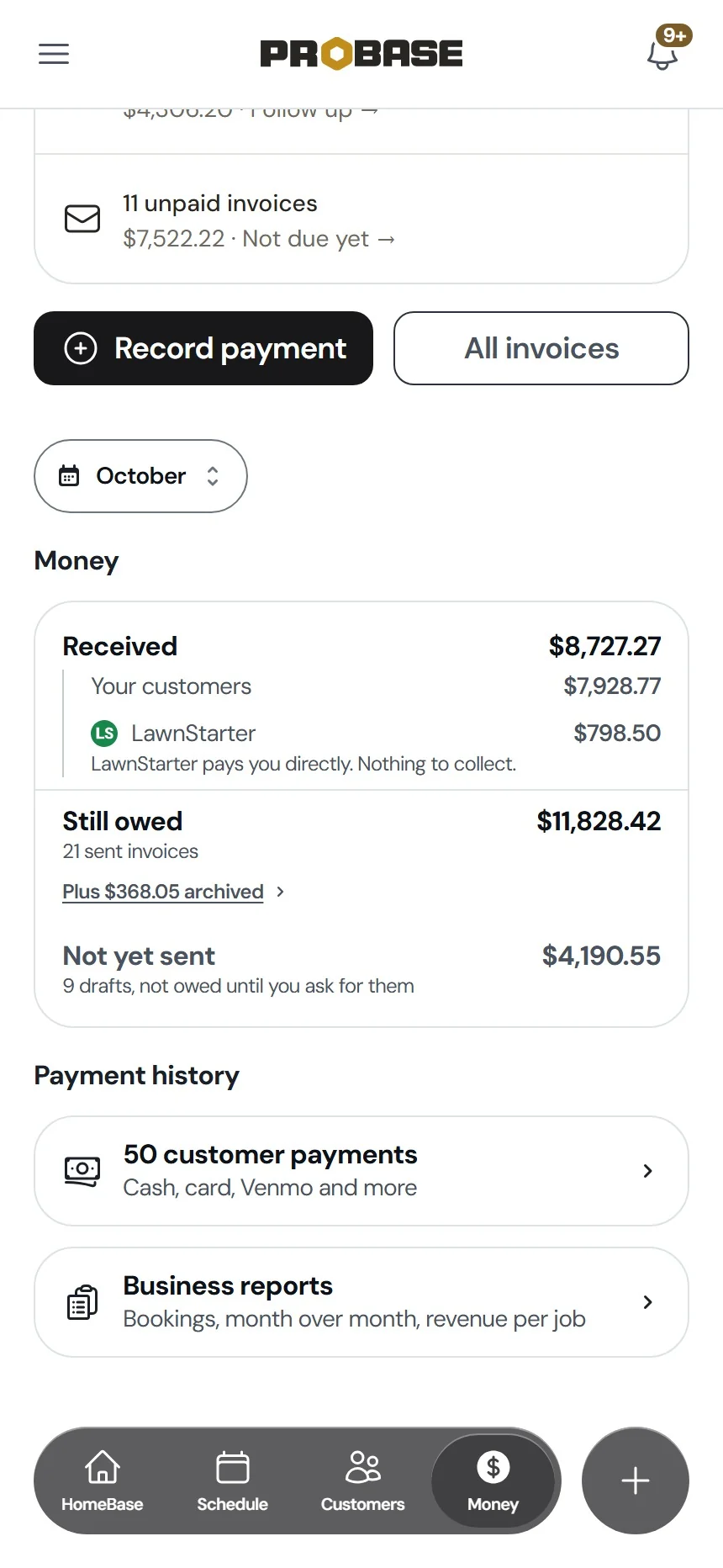
- LawnStarter payouts on the Money tab
Get more lawn care customers, if you want them
LawnStarter, Lawn Love, and Home Gnome make up the largest outdoor home services marketplace in the United States. LawnStarter is ProBase's first Marketplace partner. Pros who join get exclusive access to jobs, and the busywork and admin are handled for them.
- You pick the jobs. You see the payout on every job before you take it.
- You know what you'll make. There's a small commission, and what you'll make is stated up front.
- Paid every Monday. LawnStarter issues payouts every Monday.
- Tips are all yours. LawnStarter never takes a cut of your tips.
- No invoices to chase. LawnStarter pays you directly. Marketplace jobs never create invoices for you to send or follow up on.
Pick the jobs, show up, do great work, and get paid.
Joining is optional. ProBase is free whether you join or not.
Join the LawnStarter marketplaceSee what you've earned without leaving ProBase
A LawnStarter record in Customers keeps a Billing History ledger: job earnings, tips and bonuses, fees, and deposits, line by line.
On the Money page, marketplace deposits get their own line: "LawnStarter pays you directly. Nothing to collect." Billing your own customers works the way it always does in ProBase. More on invoicing and payments.
LawnStarter runs the marketplace jobs and issues the payouts, so questions about a payout, a marketplace job, or a customer dispute go to LawnStarter. How marketplace payouts show in ProBase
Common questions
Answers to what LawnStarter, Lawn Love, and Home Gnome pros ask most.
One lawn care business app. Free.
Your LawnStarter jobs, your own customers, one route, and every payout in view. ProBase is free, whether or not you join the marketplace.
Get ProBase freeJoin the LawnStarter marketplace →