ProBase Features
Invoice and Get Paid From Your Phone
Create invoices. Send them. Collect payments. All from the same app you use to run your route. No laptop required.
Create My Free AccountYou finished 22 pools today. Now you still have to do billing.
You get home. You're tired. And you still need to create invoices, match them to the services you completed, and get them out before customers forget the work was done.
The problem isn't that invoicing is hard. It's that it's separate from the work. You finish the route in one app—or in your head—then switch to a laptop, open QuickBooks or a spreadsheet, and try to reconstruct what you did for each customer.
ProBase keeps invoicing inside the same app where you complete services. You finished the pool. The service is logged. The charge is created. Send the invoice before you drive to the next stop.
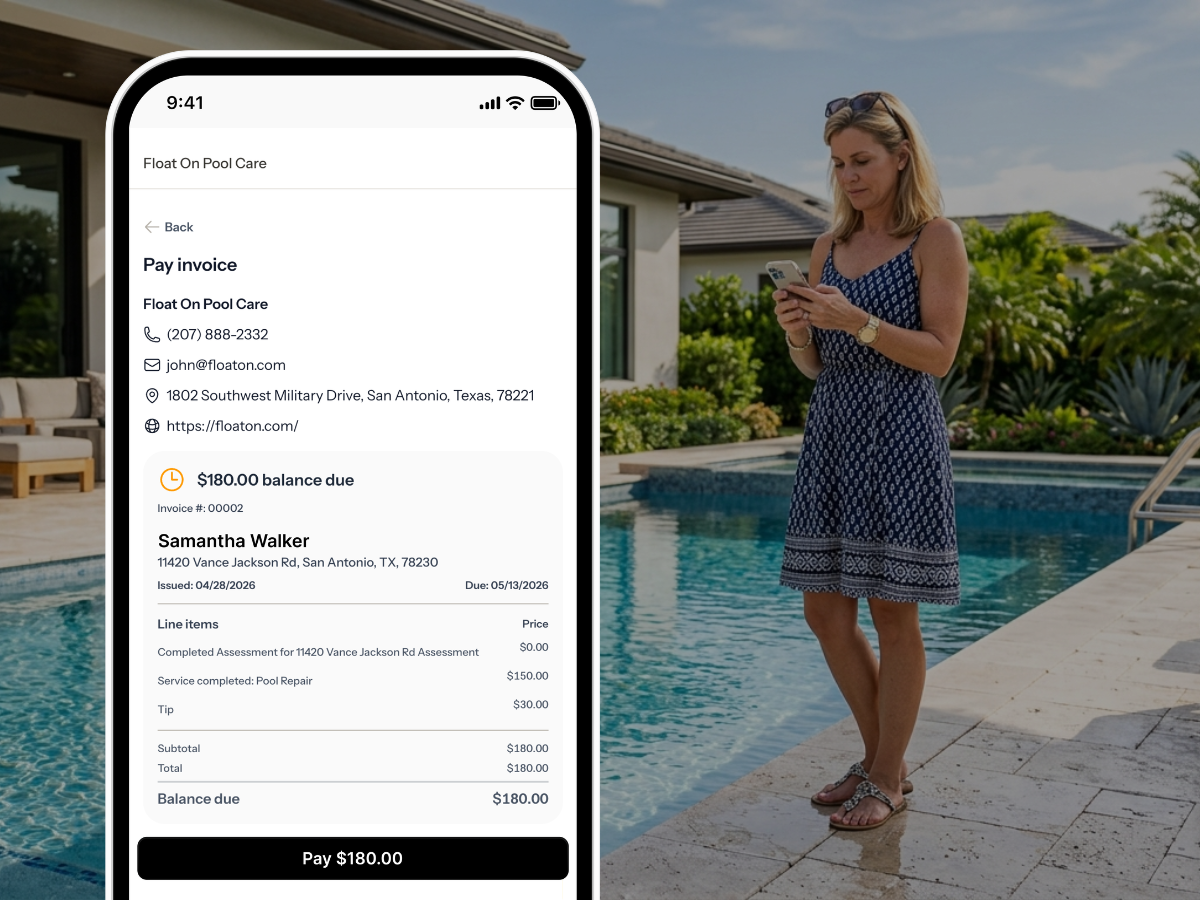
Invoice where you work
You already use ProBase to complete services. Invoicing is just the next step—and it happens in the same place.
Invoice from your phone
No laptop. No desktop. No "I'll do it when I get home." Create and send invoices right from the app—on-site or at the end of the day.
Work already logged
When you complete a service, ProBase automatically creates the charge. The service type, date, and customer are already there—you're not recreating anything from memory.
Send via text, right from the app
Tap Send Invoice. ProBase opens your messaging app with a pre-filled text and a unique payment link for the customer. They tap the link, see their invoice, and pay. Done.
Customers pay online
Customers pay by credit card right from the invoice link. Secure, Stripe-powered. No checks to chase. No cash to track. Money goes straight to your account.
See who's paid and who hasn't
The Money page shows all invoices in one place—Overdue, Unpaid, and Paid. Know exactly where you stand without digging through bank statements or following up blind.
Record cash and check payments
Not every customer pays online. Record cash, check, or any offline payment against the invoice. The balance updates instantly and the invoice closes when it's covered.
How pool pros handle billing today
Most of the common approaches share the same problem: billing is separate from the work. That gap costs time and accuracy.
| Method | What happens |
|---|---|
| QuickBooks + spreadsheet | Double entry. Log the service in one place, create the invoice in another. Works, but slow and easy to fall behind. |
| Paper invoices | Hand them to the customer or leave them on the door. Hard to track who's paid. Easy to lose. |
| End-of-month batch | Wait until the month ends, reconstruct everything from memory, send a pile of invoices at once. Customers forget by then. You will too. |
| Skimmer | Invoicing lives in the desktop back office. You need to log in on a computer to create and send invoices—it's not built for the field. |
| ProBase | Invoice from your phone right after completing the service. Charges are created automatically. Customers pay online. Free. |
The best time to invoice is right after the job is done. The work is fresh, the customer just saw you, and the invoice matches exactly what was completed. ProBase makes that possible from the field.
Works even better with...
Invoicing is the end of the service visit. These features make the whole visit stronger.
Common questions
Answers to what pool pros ask most.
Stop doing billing at 10pm.
Join pool pros using ProBase to invoice from the field, collect payments online, and get paid faster—free.
Start Free Today