ProBase Features
Your customers always know what happened at their pool.
After every visit, send a professional service report with your notes and photos. No more "did someone show up today?" texts.
Create My Free Account"I never know what they actually did."
Your customer comes home and the pool looks the same as when they left. Was the tech there? What did they do? Everything look okay? They have no idea—and now they're texting you to find out.
The pros who keep customers longest don't just do the work. They show their work. A quick summary after every visit—what you did, a photo of the pool when you left—turns a transaction into something that feels like a relationship.
ProBase builds that summary automatically when you complete a visit. One tap and your customer has everything they need. You move on to the next stop.
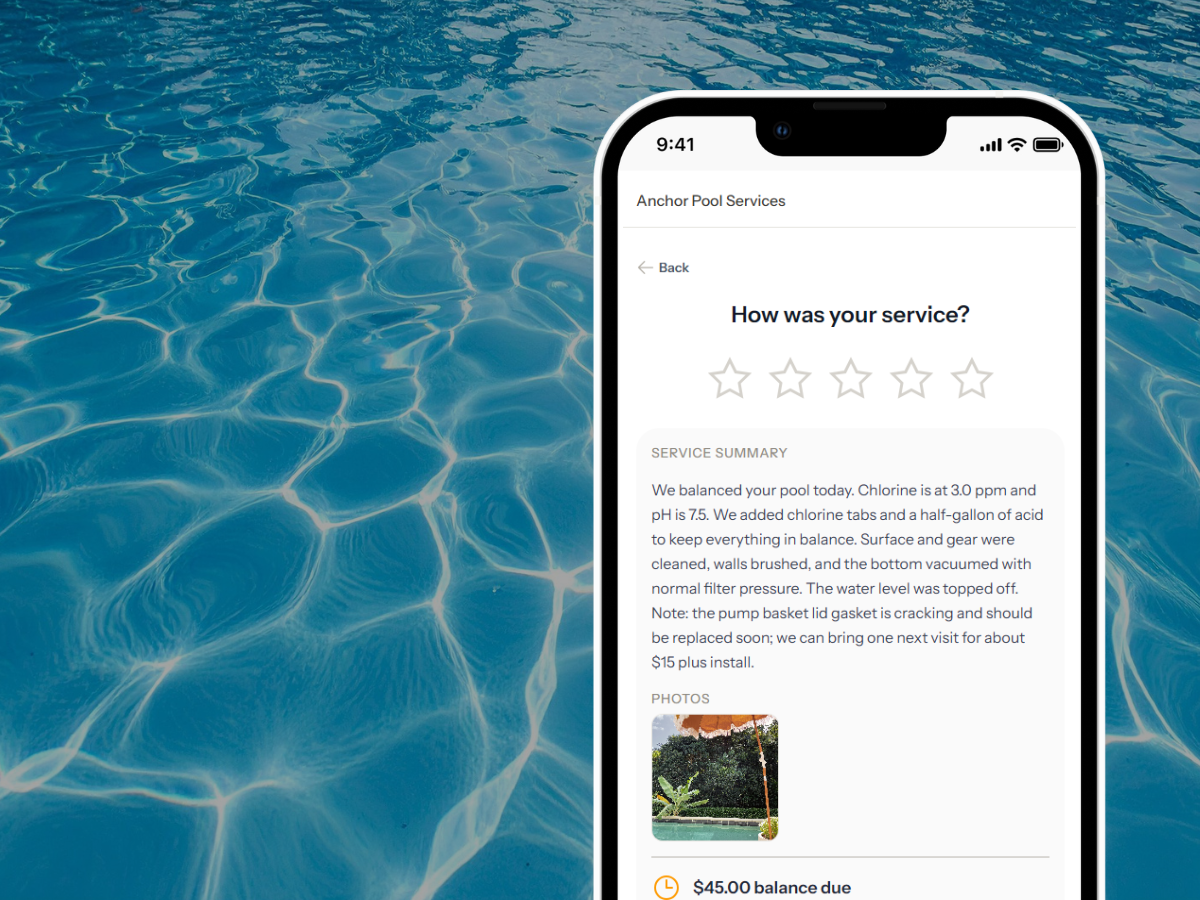
What your customer receives.
When you complete a visit and send the report, your customer gets a clean, professional summary—no app download, no login required.
Service notes in plain English
What you did, what you observed, anything worth flagging. Write it in your own words—ProBase can translate your working notes into a clean, customer-friendly summary with one tap.
After photos
Take a photo of the finished pool before you leave. It shows up in the report automatically—proof of visit, documentation, and a nice moment for a customer to see their pool looking clean.
Your business identity
Your name, phone number, logo, and address on every report. Customers know exactly who was at their property. No generic template—your brand, not ours.
A rating request
Customers can rate the visit right from the report—one through five stars, with an optional note. No app, no login required on their end.
Optional tip
Customers can leave a tip for the tech directly from the report. No awkward ask on-site—it's just there if they want it. ProBase users collect tips on more than half of completed visits.
Send it however you already text your clients
ProBase generates a link when you complete a visit. Text it, email it, drop it in WhatsApp—whatever you already use to talk to your customers. They open it in any browser. No app required on either end.
Write it once. Send something professional.
Most pool techs don't want to write customer emails. They write a few words in their own shorthand—"shock, brush, vac, emptied basket"—and that's all they need for their own records.
ProBase turns that into a proper summary before it goes to the customer. Tap AI Assist after you finish a job and it converts your notes into a clean, professional description of the work. You can edit it, or just send it as-is.
Your customers feel like they have a full-service pro taking care of them. You spent about five seconds on the message.
Your notes, their language.
- You write: "shock, brush, vac, basket, pH low added acid"
- Customer reads: "Completed weekly clean. Brushed and vacuumed the pool, cleared the pump basket. Added shock to bring chlorine up and adjusted pH to the normal range. Pool is in great shape."
- You review and send. Done.
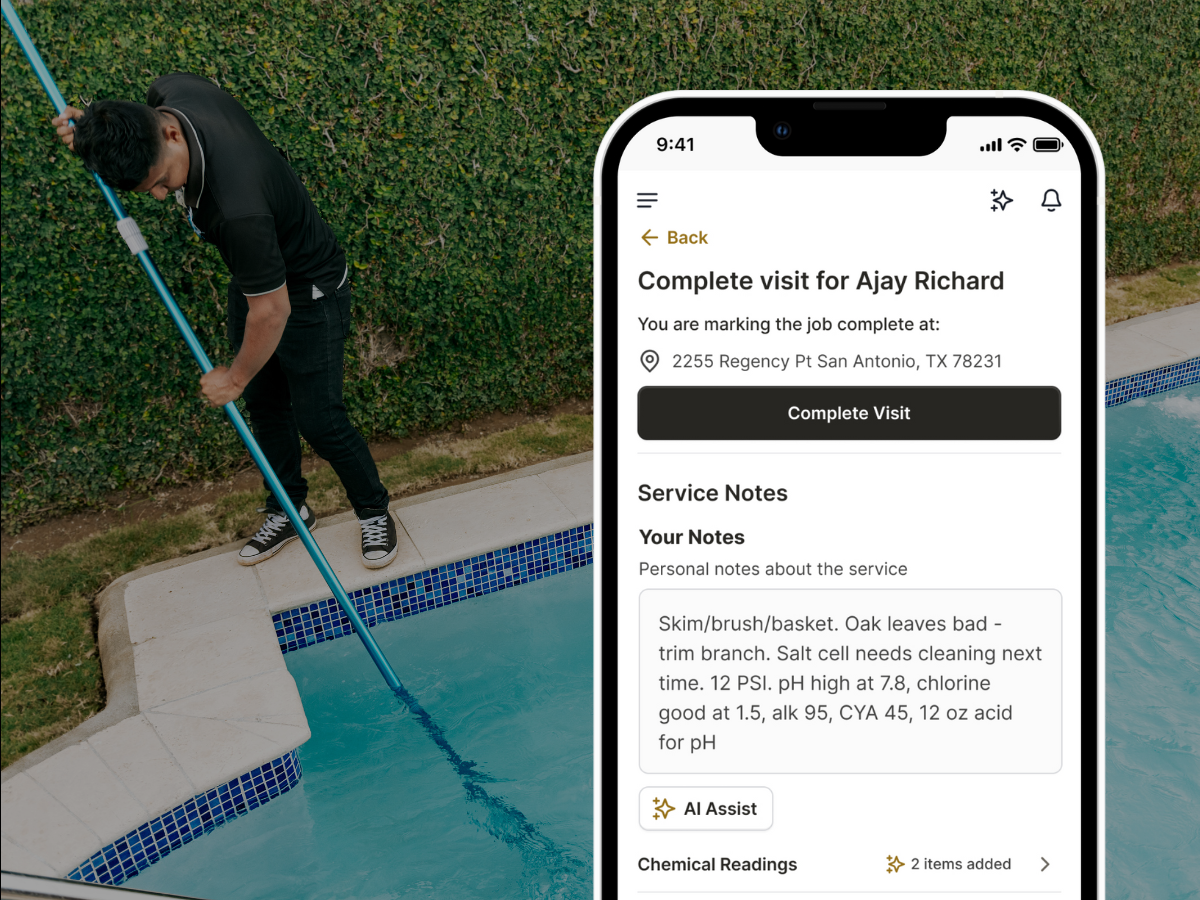
Three steps. Done before you leave the driveway.
Sending a service report takes about thirty seconds after you complete a job.
Complete the visit
Add your service notes and a photo. Tap AI Assist if you want ProBase to turn your shorthand into a polished summary. Or write directly to the customer—your call.
Send the link
ProBase generates a link for the report. Text it to your customer, email it, or drop it wherever you already message them. One link. They open it in their browser—no app, no account.
They open it, rate it, and maybe tip
Your customer opens the link in their browser—no login, no app download. They see the report, leave a star rating if they want, and can add a tip. That's it.
What your customers experience.
The difference between a pool service customer who stays and one who shops around is usually just this: do they feel informed?
| Situation | Without a service report | With ProBase |
|---|---|---|
| Customer wasn't home during the visit | No idea what happened, texts you to check | Gets a report with notes and a photo before you reach your next stop |
| Pool looked the same when they got home | Wonders if you even showed up | Sees the timestamped photo. Pool looked clean when you left. |
| Customer wants to know what chemicals you used | You get a call. You don't remember. Awkward. | It's in the service notes. You send the link. |
| Something looks off at the pool | You notice it but have no easy way to flag it | You note it in the service summary. Customer sees it. No call needed. |
| You want to ask for a review | Awkward ask in person or a generic text they ignore | Rating request is built into every service report. It's automatic. |
| Customer considering switching providers | No record of what you've been doing. Easy to leave. | Every visit documented. Switching means giving up that history. |
Everything connects.
Service reports are most useful when the rest of your workflow feeds into them automatically.
Common questions
Answers to what pool pros ask most about service reports.
Start sending professional service reports today.
Join pool pros who use ProBase to keep customers informed after every visit—at no cost.
Create My Free Account