Dispatch Every Snow Job in One Tap
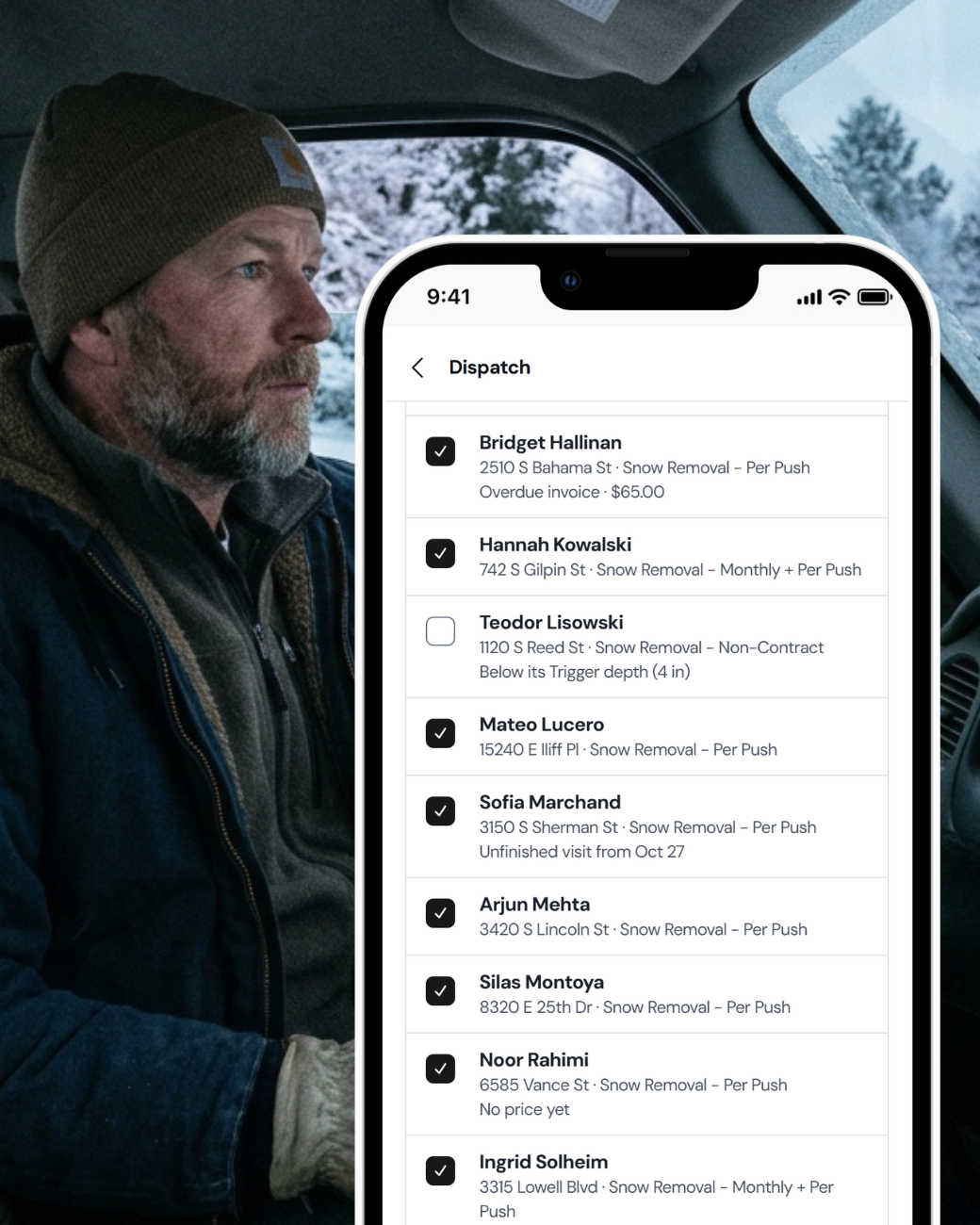
Turn your entire customer list into a ready-to-go schedule when the snow hits. Organize routes, see who's paid and who owes you, give crews their own job schedules, and keep a record of every visit for accurate billing.
Free to UseFree. No credit card.
Paper works. Until the night it doesn't.
If you run snow on a clipboard, you're not doing it wrong. One plow operator on r/Snowplow put it plainly: after a year or two, “you'll have no need for the truck pads unless you get a new driver.” The route lives in your head, and your head has never once failed to load.
Then you hire the new driver. Or the storm runs three days and two shifts, and the guy on the night run can't read your mind. Or a property manager says you never came, and the only proof is a pad in somebody's glove box.
ProBase snow removal software keeps what paper gets right and fixes what it doesn't. Storm mornings stop being a memory test.
Everything a storm morning needs.
Pick the jobs, tap once, tell the customers, send the trucks.
Sixteen properties, one tap.
One tap puts a visit on every job you picked. No per-job confirmations, no cap.
- Nothing scheduled until it snows
- Sixteen takes the same effort as one
- The run lands on your crew's schedule
Only plow what earned it.
Type in what fell, and the 4-inch customer doesn't get a visit at 2.
- Set a trigger depth per job or per service
- Skipped rows show their trigger depth
- One tap puts anyone back in
Stop plowing for customers who owe you money.
Before you tap, every row flags what would cost you.
- Overdue invoice, with what they still owe
- Contract at its visit limit
- Last storm's visit never closed out
Sixteen customers, one more.
The text is already written. Tap send, and your customers hear you're coming before they hear the plow.
- The snowfall and the day, already in the draft
- Edit anything before it goes
- Nothing sends until you tap
Two trucks, no crossed paths.
Running more than one crew? Assign & optimize routes opens the day so you can put the rest on a truck.
- Visits go straight to the job's crew
- The new driver's run is already on their schedule
- Set the driving order before the first push
What the clipboard can't do.
| Clipboard and a group text | ProBase | |
|---|---|---|
| Getting the run out | Read the route off the whiteboard | One tap, every property |
| Telling customers you're coming | Sixteen texts, one thumb | One text, written for you, sent to all of them in one tap |
| Skipping properties that didn't get enough snow | You remember, or you don't | Enter the depth. Select all skips them |
| Plowing the same lot twice | Hope someone said something | Flagged on the row before you tap |
| Plowing for someone who hasn't paid | Find out at billing time | The overdue amount, on the row |
| Handing the route to a new driver | Ride along, or hope | The run is already on their schedule |
| Proving you were there | A pad in somebody's glove box | Every visit on the record, with photos |
The clipboard isn't wrong. It just can't text sixteen people, flag who owes you, or take over the route when you're the one who's sick.
Dispatch gets the trucks out. This gets you paid.
Nothing gets retyped. A per-push visit you dispatch bills when the crew finishes it, and a contract visit counts toward the season on its own.
Common questions
Start the storm with the plow, not the paperwork.
Bring over the list you already keep, set each property's trigger depth once, and forget about it until the forecast turns. The next storm is one tap.
Free to Use